

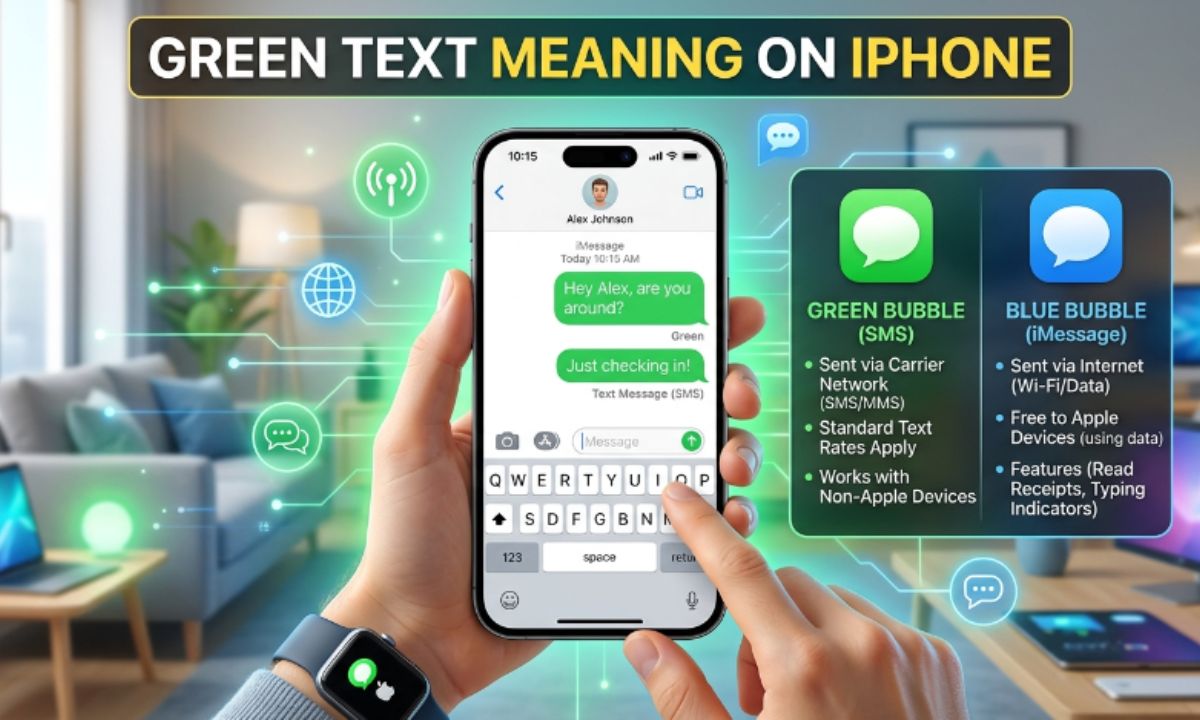
Green Text Meaning on iPhone confuses millions of users every year, and if you’ve ever stared at a green bubble wondering what went wrong, you’re not alone. One minute your messages are blue, the next they’re green, and suddenly you’re asking if you’ve been blocked, ignored, or if your phone is simply broken.
The truth is much simpler than most people think. This guide breaks down exactly what green bubbles mean, why they show up, and how to fix them — with real answers backed by how iPhone messaging actually works in 2026.
Quick Answer Box
In short, the Green Text Meaning on iPhone boils down to this: a green text bubble on your iPhone means the message was sent as SMS, MMS, or RCS instead of through iMessage. This usually happens because the recipient is using an Android phone, iMessage is turned off, or there’s no internet connection. Green messages still get delivered, but they aren’t end-to-end encrypted like blue iMessages.
What Does Green Text Mean on iPhone?
Understanding the Green Text Meaning on iPhone starts with knowing how Apple’s Messages app works. Every text you send falls into one of two categories:
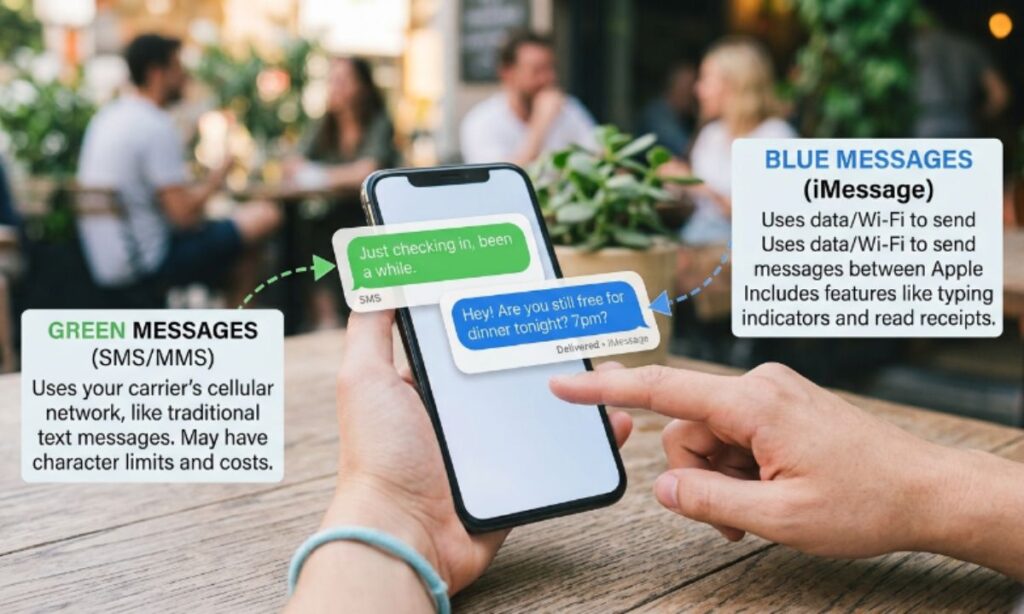
- iMessage (blue bubble): Sent over Wi-Fi or cellular data using Apple’s private messaging network.
- SMS/MMS/RCS (green bubble): Sent as a traditional carrier text, the same kind used on any phone since the early 2000s.
When your iPhone can’t reach Apple’s iMessage servers, or the person you’re texting isn’t on an Apple device, your phone automatically falls back to sending a standard text message. That message appears green instead of blue. It’s not a glitch — it’s your iPhone doing exactly what it’s designed to do.
Why Are Some Messages Green Instead of Blue?
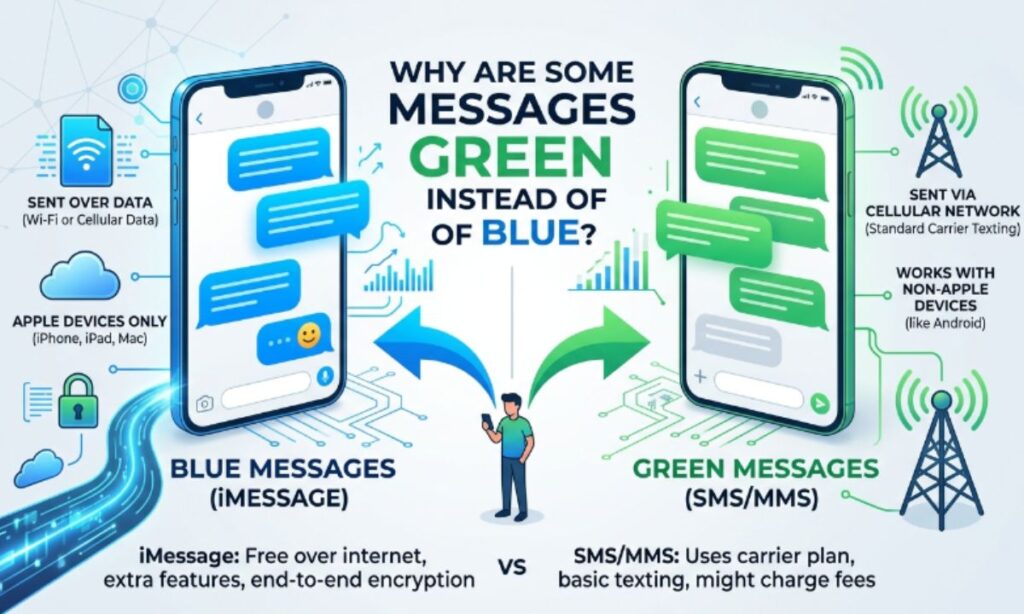
There are several everyday reasons behind the Green Text Meaning on iPhone, and most of them have nothing to do with being blocked or ignored.
The Other Person Is Using an Android Phone
iMessage only works between Apple devices. If you text someone with an Android phone, that message can never turn blue — it will always be green because iMessage simply isn’t available on their end.
iMessage Is Turned Off
If iMessage is disabled on your iPhone or the recipient’s iPhone, every message defaults to SMS. This is one of the most common causes of unexpected green bubbles between two iPhone users.
No Internet Connection
iMessage needs Wi-Fi or cellular data to send messages. Without a stable connection, your iPhone switches to SMS automatically so your message still goes through.
Apple Servers Are Temporarily Unavailable
Apple’s iMessage servers occasionally experience outages. During these windows, texts default to green until the service is restored.
You’re Sending to a Non-Apple Device
Group chats that include even one Android user will often show as green for everyone, since iMessage can’t fully sync across mixed device types.
Green Text vs Blue Text on iPhone
| Feature | Blue Text (iMessage) | Green Text (SMS/MMS/RCS) |
| Network used | Wi-Fi or cellular data | Carrier network |
| Encryption | End-to-end encrypted | Not encrypted |
| Works between | Apple devices only | Any phone |
| Read receipts | Available | Limited or unavailable |
| Typing indicators | Yes | No |
| Group chat features | Full support | Basic support |
| Cost | Free (uses data) | May use carrier text plan |
This comparison highlights the core Green Text Meaning on iPhone: it’s simply a fallback system, not a warning sign.
Does Green Text Mean You’re Blocked?
No. This is the single biggest misconception around the Green Text Meaning on iPhone. A green bubble only tells you the message was sent as SMS, not that you’ve been blocked. If you were blocked, an iMessage would still show as “Delivered” in some cases, or the message would simply not go through with no error — it wouldn’t necessarily turn green just because of a block.
Can Green Messages Still Be Delivered?
Yes. Green messages are delivered through your carrier’s SMS/MMS network, exactly like a normal text message. As long as you have cellular signal, your message reaches the recipient’s phone, regardless of what device they use.
What Is the Difference Between SMS and MMS?
Part of understanding the Green Text Meaning on iPhone is knowing the two formats hiding behind that green bubble:
- SMS (Short Message Service): Text-only messages, typically limited to 160 characters.
- MMS (Multimedia Messaging Service): Used when you send photos, videos, audio, or long text threads.
Both appear as green bubbles on iPhone and both rely on your carrier network rather than the internet.
Why Did My Messages Suddenly Turn Green?
A sudden shift is one of the more alarming parts of the Green Text Meaning on iPhone for many users. If your texts were blue and abruptly switched to green, the cause is usually one of these:
- iMessage got disabled after an iOS update or settings reset.
- Your Apple ID signed out unexpectedly.
- You lost internet or cellular data access.
- The recipient switched from an iPhone to an Android device.
- Apple’s servers were briefly down.
Once you identify the cause, fixing the Green Text Meaning on iPhone issue is usually quick and doesn’t require any advanced troubleshooting.
How to Switch Back to Blue Messages
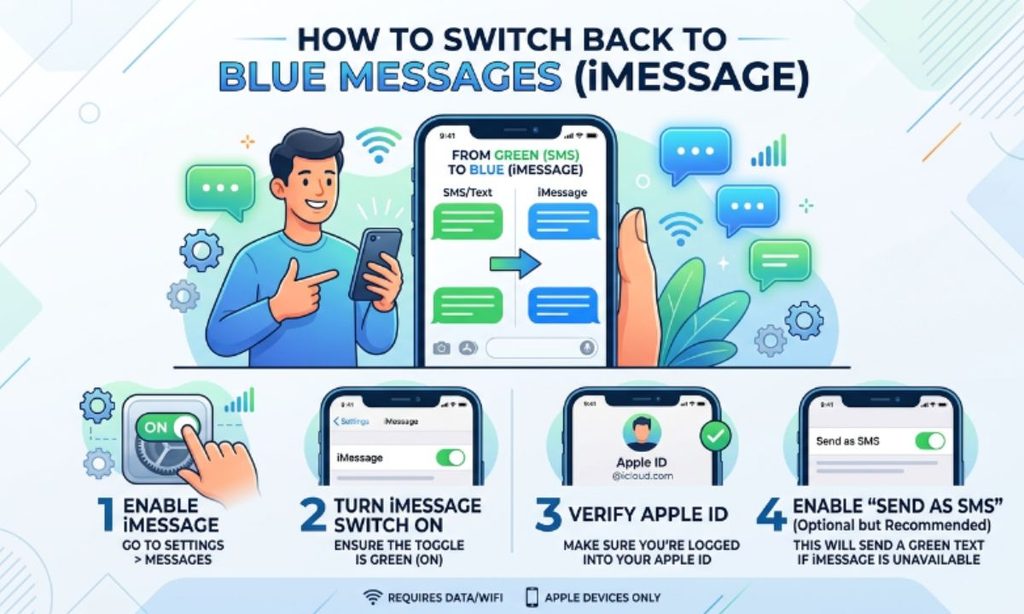
Check Your Internet Connection
Make sure Wi-Fi or mobile data is turned on and working properly. iMessage cannot function without an active connection.
Make Sure iMessage Is Enabled
Go to Settings > Apps > Messages and confirm the iMessage toggle is switched on. If it’s off, turn it on and wait a few moments for activation.
Restart Your iPhone
A simple restart often refreshes the connection between your device and Apple’s messaging servers, resolving temporary green-text issues.
Sign Out and Back Into Apple Account
Signing out of iMessage under Settings > Apps > Messages > Send & Receive, then signing back in, can re-register your number correctly.
Wait for Apple Services
Check Apple’s System Status page. If iMessage shows an outage, the only fix is patience until Apple resolves it.
Does Green Text Cost Money?
Another practical piece of the Green Text Meaning on iPhone puzzle is cost. It can. Since green messages use SMS/MMS over your carrier network, they may count against your text messaging plan, especially if you don’t have unlimited texting. iMessage, by contrast, only uses data and doesn’t count toward SMS limits.
Green Message on iPhone Mean Blocked
This is one of the most searched angles of the Green Text Meaning on iPhone: a green message does not automatically mean blocked. It almost always means the text was sent as SMS because iMessage wasn’t available for that specific conversation.
Green Text Meaning iPhone Not Working
If green texts aren’t sending at all, check your cellular signal, confirm you have an active text plan, and make sure Airplane Mode is off.
Why Is My iPhone Sending Green Messages to One Contact?
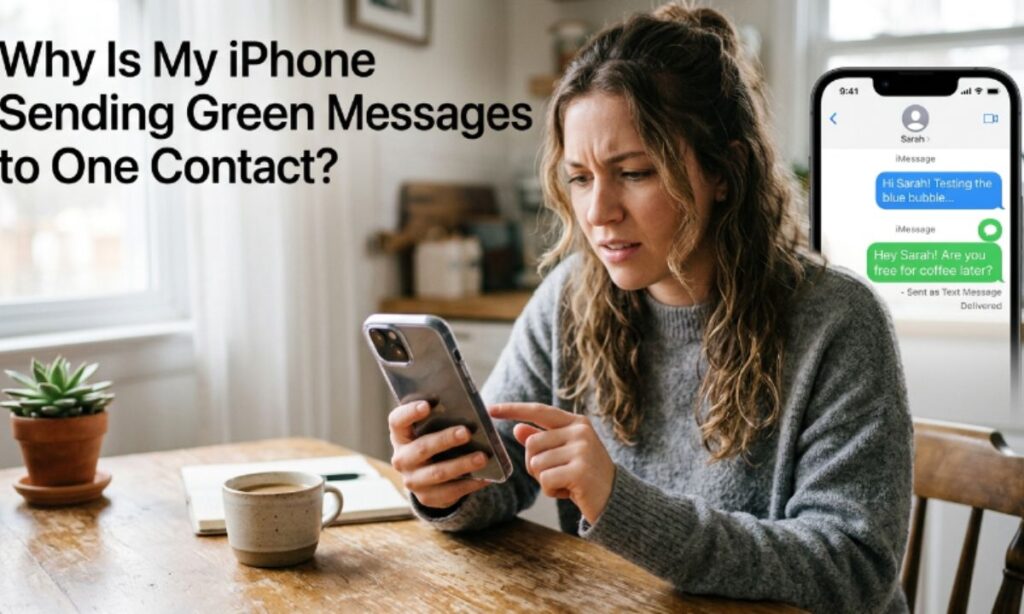
This usually happens when that specific contact’s iMessage is disabled, their phone number changed, or they switched devices, even if every other contact still appears blue.
Why Are My Texts Green When Texting Another iPhone? How to Fix?
Double-check that both phones have iMessage enabled, a stable internet connection, and correctly registered phone numbers under Apple ID settings.
Why Are My Messages Green When They Should Be Blue?
At its core, the Green Text Meaning on iPhone here typically points to a connectivity issue, a disabled iMessage setting, or a temporary Apple server outage rather than any permanent problem with your device.
Are Green Messages Secure?
Security is a key part of the Green Text Meaning on iPhone conversation. Not as secure as iMessage. Green texts (SMS/MMS/RCS) lack end-to-end encryption, meaning they’re technically more exposed to interception than blue iMessages. That said, everyday green texts remain widely used and are not inherently dangerous — just less private.
Real-Life Examples
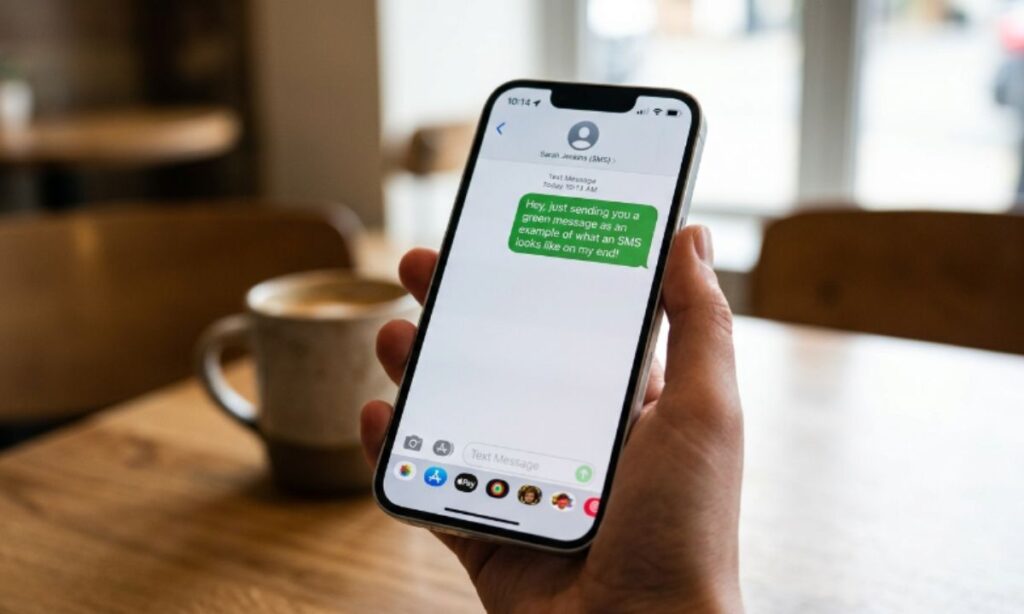
These everyday scenarios show the Green Text Meaning on iPhone in action.
Example 1
Sarah texts her friend, and the message stays green even though they’ve texted in blue before. After checking, she learns her friend switched from an iPhone to a Samsung Galaxy — explaining the change instantly.
Example 2
Mark’s texts to his brother suddenly turn green mid-conversation. A quick restart and re-enabling iMessage in Settings brings the blue bubbles right back.
Example 3
During a flight, Priya’s texts to her mom (also on iPhone) show up green. Once she lands and reconnects to Wi-Fi, the messages automatically switch back to blue for future texts.
Common Misunderstandings
So much confusion around the Green Text Meaning on iPhone comes from a few persistent myths:
- Green text does not mean the recipient blocked you.
- Green text does not mean the message failed to send.
- Green bubbles are not a sign of a broken iPhone.
- A green bubble simply reflects the messaging protocol used, not a personal or technical failure.
When Should You Be Concerned?
Since the Green Text Meaning on iPhone is usually harmless, you should only start investigating further if messages consistently fail to deliver, calls go straight to voicemail, or the person’s contact info suddenly shows no activity at all. In those cases, contacting them through another platform can help confirm what’s really going on — but green text alone is rarely a red flag.
Frequently Asked Questions
Why are my iPhone messages green all of a sudden?
This usually happens because iMessage got disabled, your internet connection dropped, or the recipient switched to a non-Apple device.
Does a green text mean I’ve been blocked on iPhone?
No, a green bubble simply means the message was sent as SMS/MMS instead of iMessage — it doesn’t indicate blocking.
Can green messages still be delivered successfully?
Yes, green messages send through your carrier’s SMS/MMS network and are delivered as long as you have cellular signal.
Is green text less secure than blue text on iPhone?
Yes, green SMS/MMS/RCS messages aren’t end-to-end encrypted, while blue iMessages are fully encrypted.
How do I turn my green texts back to blue?
Enable iMessage in Settings, confirm your internet connection, and restart your iPhone to restore blue bubbles.
Does texting in green cost extra money?
It can, since green texts use your carrier’s SMS/MMS plan rather than internet data like iMessage does.
Why does one contact always show green while others show blue?
That contact likely has iMessage disabled, uses an Android device, or has a number not properly linked to their Apple ID.
Can two iPhones text in green instead of blue?
Yes, if either device has iMessage turned off, lacks internet access, or Apple’s servers are temporarily down.
Is RCS the same as green text on iPhone?
RCS is a newer standard that also appears green on iPhone, offering more features than SMS but still without iMessage’s encryption.
What is the simplest way to explain Green Text Meaning on iPhone?
It simply means your message used SMS, MMS, or RCS instead of iMessage — a fallback, not a warning sign.
Conclusion
The Green Text Meaning on iPhone is far less mysterious than it seems. In almost every case, it simply reflects how the message was sent — SMS, MMS, or RCS instead of iMessage — rather than any sign of being blocked or ignored. Whether it’s caused by an Android recipient, a disabled setting, or a temporary connection issue, the fix is usually quick and straightforward. Now that you understand the real Green Text Meaning on iPhone, you can stop worrying about bubble colors and focus on the conversation itself.

Hi, I’m Alex Carter, a passionate content creator and language enthusiast dedicated to exploring the true meanings behind words, phrases, and modern slang. With over 5 years of experience in content research and digital publishing, I specialize in breaking down complex terms into simple explanations. I focus on delivering well-researched, up-to-date, and SEO-optimized content that answers real user queries.